
以圖生圖
參考圖片
以圖生圖 AI:替你的照片找一個新方向
從一張參考照片開始,寫下接下來想要什麼。用 PixJelly 以圖生圖換風格、換場景、換氛圍。
從參考圖到全新的詮釋
- 1
加入參考圖
上傳一張照片、拖進工作區,或從剪貼簿貼上。可以用 PNG、JPEG 和 WebP,最大 25 MB;送出之前,工作區會先準備一份長邊最多 1,800 像素的工作副本。
- 2
寫下你的方向
告訴我們要改什麼、要留什麼。選 PixJelly V2.0 或其中一個外部圖像模型,再把輸出比例設成你真正需要的畫面。
- 3
生成後存下來
請求會在服務商的伺服器上執行,工作區會追蹤任務。把新圖和參考圖放在一起檢查,然後下載下來用在下一個專案,或寫一個不同的方向再跑一次。
同一個構圖,換一種氛圍
把一張照片當作新視覺方向的起點。描述另一種材質、光線或藝術風格,同時留住你在意的元素。說清楚哪些要保留,和說清楚要改什麼一樣重要,因為不論如何,畫面裡的每個像素都會被重新畫過一次。
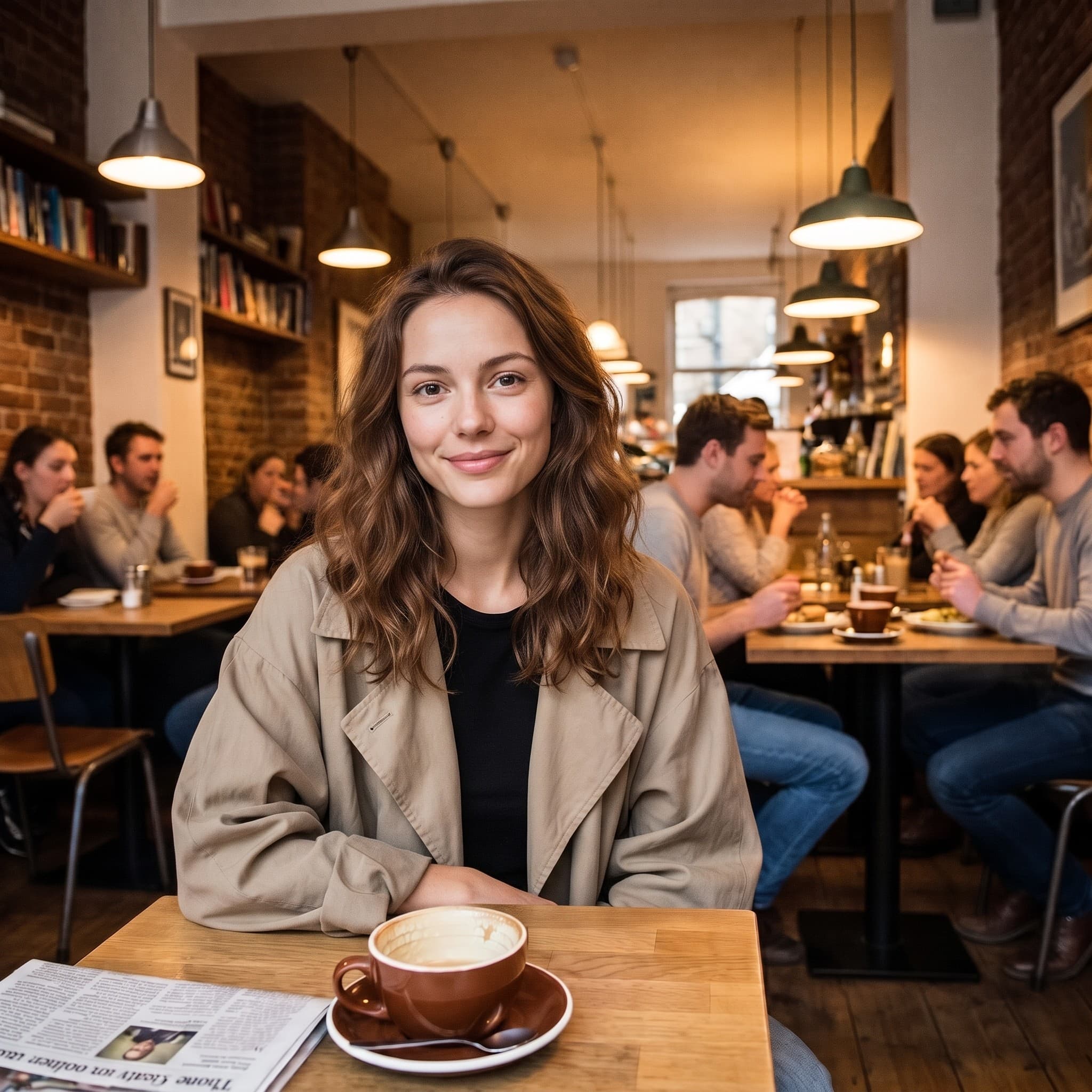
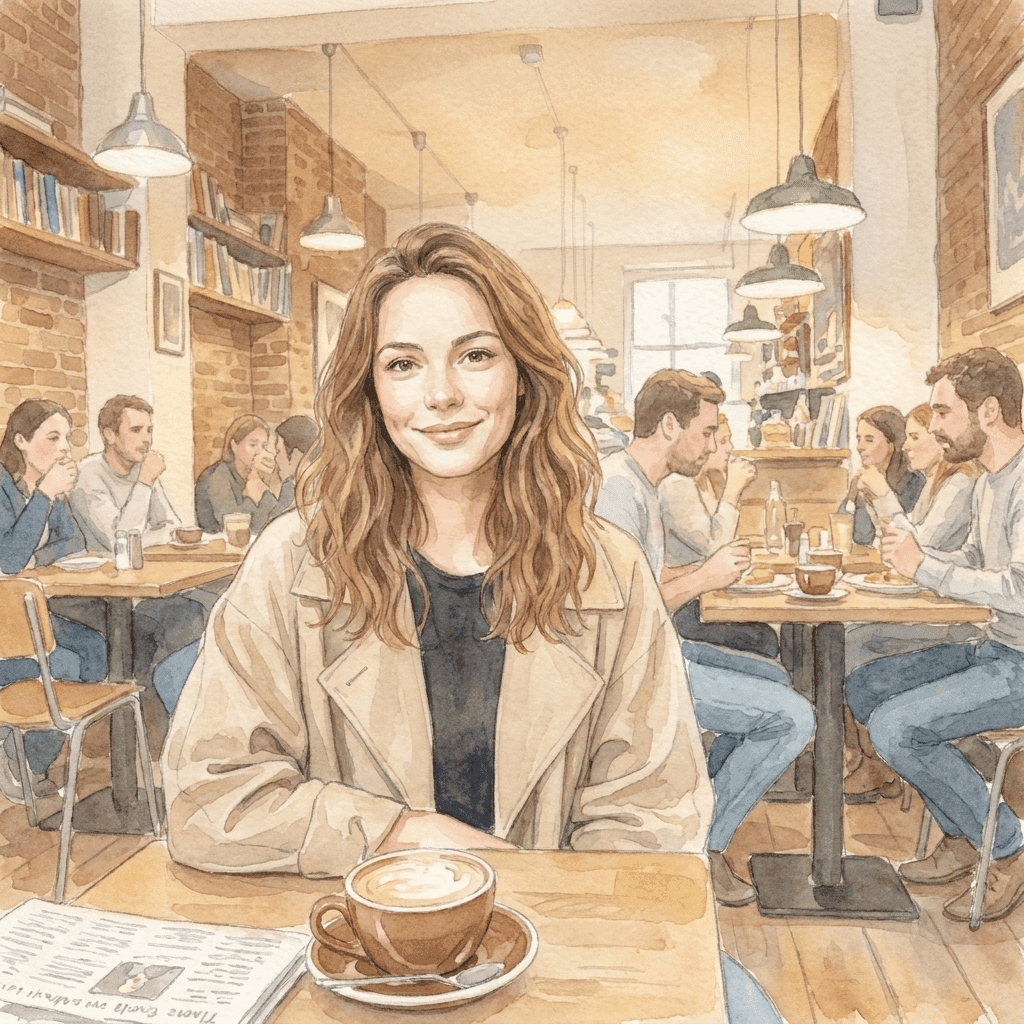
從一張照片,走進更柔和的世界
這幅水彩插畫是用一句簡短的風格指示,從參考照片生成出來的。帶著你自己的視覺方向來,看看你的圖片能變成什麼。讓這幅插畫一眼就認得出來的,是原圖裡的姿勢、取景和光線落下的方式;指示只需要補上「用什麼畫」。
一個專注的以圖生圖工作區
你帶參考圖來,方向由你決定。
一張參考,很多種想法
從一張現有的圖片出發,探索新的場景、媒材或視覺風格。你的檔案永遠不會被覆寫,所以第一次的答案不對時,隨時可以拿同一張參考圖換個方向再跑。
模型自己挑
使用 PixJelly V2.0,或任何一個可用的外部圖像模型。每個模型對同一張參考圖、同一則指示的解讀都不一樣,所以在一個模型上效果平平的方向,常常值得換個模型再試。
隨時可以下載
直接在工作區裡把結果存下來,中間沒有加浮水印的步驟,也沒有另外的匯出畫面。
比例貼合畫面
把輸出設成 1:1、3:4、4:3、16:9 或 9:16。結果會直接用你選的比例生成,而不是事後裁成那個比例。
把話說清楚的空間
提示詞框最多接受 5,000 個字元,足夠一次寫清楚要改什麼、要保留什麼,以及你想要的氛圍。
不用安裝任何東西
以圖生圖 AI 直接在你現在用的瀏覽器裡執行,不用外掛,也不用桌面應用程式。用 Google 登入就能生成,第一次登入會送你 10 點。
工作區裡還有什麼
改造一張照片是一件事,下面是其他幾件。
文字生成圖片
手邊沒有參考圖?寫一段提示詞,單靠文字生成一張圖。
標註修圖
照片維持原樣,只改其中一部分。在那個位置畫一支箭頭,把指示寫在那裡。
圖片去背
把主體去背成透明 PNG。這個工具在你自己的裝置上執行,而不是在伺服器上。
繼續你的圖片流程
以圖生圖 AI 適合用在哪裡
創意方向
- 拿一張你本來就喜歡的照片,看看它變成水彩、鋼筆畫或手繪插畫的樣子。
- 不必回去重拍,就能替整個畫面試一種不同的光線處理。
- 把一組彼此無關的參考圖統一成同一種視覺語言,讓整份簡報讀起來像同一個想法。
商品圖
- 原本的場景已經不符合這檔活動時,替商品照描述一個新的背景。
- 在預約真正的拍攝之前,先探索另一種氛圍:更暖、更冷,或更有雜誌感。
- 直接讓別人看到某種處理方式的效果,而不是寫一段話描述它,然後祈禱對方看得懂。
風格探索
- 把同一張參考圖交給兩個模型,比較哪一個讀懂了你寫的方向。
- 一次只改一個子句,看看什麼跟著變了。這是摸清模型到底聽進什麼最快的方法。
- 留住你已經花時間調好的構圖,把畫面裡其他的一切都當成變數。
個人照片
- 把一張人像變成插畫,做成卡片、大頭貼,或值得印出來的作品。
- 把一張旅遊照重新想像成另一個季節,一個它拍攝時並不是的季節。
- 替一張老照片換一種處理方式,讓它配得上你想掛它的那面牆。
以圖生圖 AI 是什麼?
一張圖片和一段文字方向會一起送進去。手上有一張差不多對、但風格、場景或氛圍不對的照片時,它最適合。決定結果的有四樣東西。
你的參考圖
一張 PNG、JPEG 或 WebP,最大 25 MB。工作區會準備一份長邊最多 1,800 像素的工作副本送給模型,所以更大的檔案在這裡沒有額外好處。參考圖真正帶來的,是一段文字很難描述的一切:姿勢、間距、光線落下的方式。
你的方向
寫下哪些該變、哪些該留。點出值得保留的東西(一個姿勢、一種版面配置、一個商品外形),通常比描述畫面裡本來就看得到的東西更重要。提示詞框最多可以放 5,000 個字元,不必把需求壓縮。
你的模型
PixJelly V2.0 是我們調校的工作流程,目前跑在 Nano Banana Pro 上。也可以選 Nano Banana 2.1、GPT Image 2 和 Seedream 5 Pro,每個模型對同一張參考圖的解讀都不一樣。同一份需求在兩個模型上各試一次,花不了多少,卻能告訴你很多。
你的結果
輸出是一張依照你選的比例重新生成的圖片,而不是疊在你檔案上的修改。參考圖維持不變;結果區一次只放一張圖,所以想留下的圖,在下一次執行前先下載。
一張新圖,而不是修過的舊圖
以圖生圖 AI 會重新生成整個畫面。結果裡的一切都是模型畫出來的,包括看起來沒動過的部分,所以文字、手、標誌和背景裡的小東西都可能變樣。在任何地方使用結果之前,先和參考圖對照一下。
這個取捨決定了該用哪個工具。當風格、場景和氛圍需要一起改變時,以圖生圖 AI 是對的選擇。如果只有一個區域不對、照片其他部分都已經沒問題,指著那個區域描述要怎麼改能保留多得多的原貌。如果你只需要把主體和背景分開,在裝置上完成的去背完全不會動到原本的像素。
從一張圖片而不是一句話開始,值得的原因正好也是它的風險所在。參考圖交給模型的資訊,是任何一段文字都承載不了的;但它也會把你沒注意到的部分一併交出去。所以請選一張真的接近你想要構圖的參考圖,檢查結果時看它有沒有走樣,而不只是看風格。
以圖生圖 AI 常見問題
一定要有參考圖嗎?
是的。這個工具從一張上傳的圖片開始。如果手上什麼都沒有,可以先用文字提示詞生成一張圖,再把它帶回這裡當參考圖。
原圖的每個細節都會維持不變嗎?
不會。整個畫面會重新生成,所以文字、手、標誌和背景裡的小東西都可能變樣。使用前先檢查結果;如果只有一個區域不對,可以考慮改用局部修圖。
是在我的裝置上處理的嗎?
不是。你的參考圖和提示詞會送給你選的圖片服務商,新圖片在它的伺服器上生成。
參考圖要多大?
任何 25 MB 以內的 PNG、JPEG 或 WebP 都可以。工作區會用長邊最多 1,800 像素的副本來生成,所以原圖再大,也不會替結果增加細節。
指示要寫得多具體?
改動要寫具體,要留下來的東西也要寫具體。點出你想保留的姿勢、版面配置或商品外形,通常比描述照片裡本來就一目了然的東西更有用。
結果會用什麼比例?
就是你生成前選的那個:1:1、3:4、4:3、16:9 或 9:16。輸出會直接用這個形狀生成,而不是裁成這個形狀,所以請選符合圖片用途的比例。
我的原始檔案會被修改嗎?
不會。結果是一張獨立、重新生成的圖片。參考圖維持你加入時的樣子;結果區一次只放一張圖,所以再次執行前,先把值得留下的圖下載下來。
需要帳號嗎?
不登入也可以加入參考圖、寫下方向。生成需要用 Google 登入,因為請求是在圖片服務商的伺服器上執行。第一次登入會送你 10 點,夠用最便宜的模型生成兩張圖。